Never Lose Your Bluetooth Devices Again
Find, connect, and manage all your wireless devices in one simple app. Locate lost earbuds, reconnect headphones instantly, and take control of your Bluetooth gadgets without the hassle.
Everything You Need to Master Your Bluetooth Devices
Find Lost Devices Fast
Misplaced your earbuds or headphones? Our device finder helps you track down your Bluetooth gadgets quickly while they're still in range. Stop wasting time searching and find what you need in seconds.
Reconnect Without the Frustration
Tired of manually pairing your devices every time? Auto Connect makes reconnecting your headphones, speakers, and smartwatch smooth and effortless. Just turn on Bluetooth and get back to what matters.
Know How Close You Are
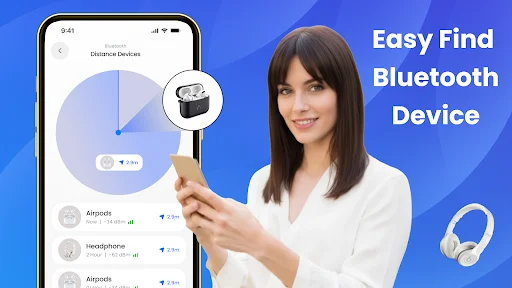
The Distance Finder shows you how far away your Bluetooth device is from your phone. Whether you're searching at home or in the office, you'll know exactly where to look instead of guessing.
Manage Everything in One Place
Stop jumping between phone settings to check paired devices or scan for new ones. View all your Bluetooth gadgets, check connections, and discover nearby devices from a single, easy-to-use dashboard.
About Bluetooth Finder: Find Device
Bluetooth Finder: Find Device
Bluetooth Finder: Find Device is a simple and reliable Bluetooth app that helps you connect, scan, find, and manage your wireless devices without confusion. Whether your headphones, earbuds, speakers, smartwatch, or other Bluetooth gadgets are not connecting properly, this app gives you an easier way to control your Bluetooth connections in one place.
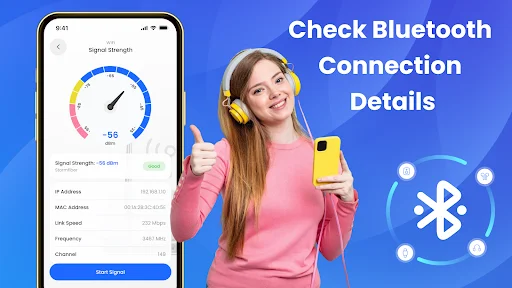
With this Bluetooth Finder app, you can scan nearby devices, reconnect paired gadgets, find misplaced Bluetooth devices, check estimated distance, scan BLE devices, and see which apps are using Bluetooth permissions.
Bluetooth Finder: Find Device Key Features
- Bluetooth Scanner
- Device Finder
- Auto Connect
- Distance Finder
- BLE Scanner
- Paired Devices
- Nearby Devices
- Permission Checker
- Fast Connection
- Easy Control
Find My Bluetooth Device
Lost your Bluetooth earbuds, headphones, speaker, smartwatch, or another wireless gadget? The Find My Bluetooth Device feature helps you locate nearby Bluetooth devices quickly. As long as the device is powered on and within range, the app can help you track it more easily and save your time.
Bluetooth Scanner
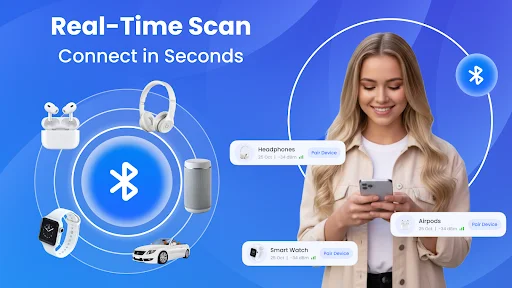
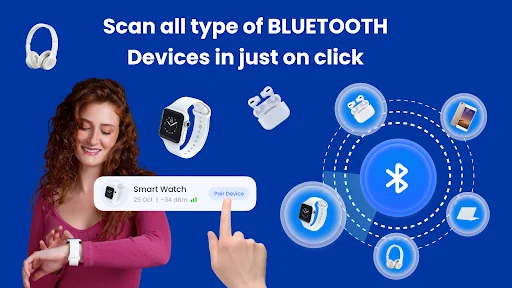
The built-in Bluetooth scanner quickly searches for nearby Bluetooth devices and shows available gadgets around you. You can scan headphones, earbuds, speakers, smartwatches, fitness bands, and other supported Bluetooth devices in just a few taps.
Auto Connect Paired Devices
Reconnecting your devices again and again can be frustrating. This Bluetooth app helps reconnect previously paired devices more smoothly when Bluetooth is enabled.
Bluetooth Distance Finder
The Bluetooth Distance Finder helps you estimate how far your Bluetooth device may be from your phone. This can make it easier to find misplaced gadgets at home, in the office, or nearby. Distance results may vary depending on signal strength, walls, device type, and Bluetooth range.
BLE Scanner
Use the BLE Scanner to detect Bluetooth Low Energy devices around you. This feature is useful for modern smart devices such as fitness trackers, smartwatches, smart sensors, wireless accessories, and other BLE-enabled gadgets.
Paired Device Manager
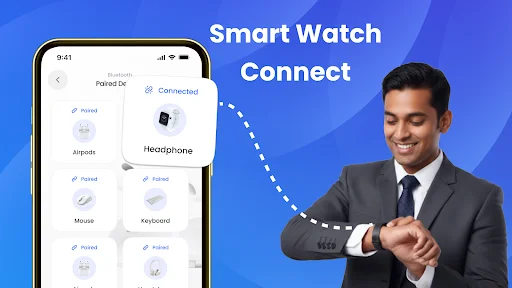
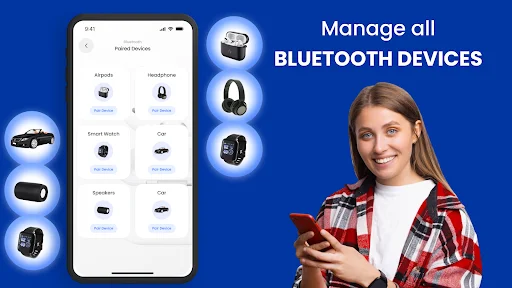
View and manage your paired Bluetooth devices in one place. Instead of opening multiple phone settings again and again, you can use this Bluetooth Finder: Find Device app to check connected and paired devices more easily.
Nearby Device Detection
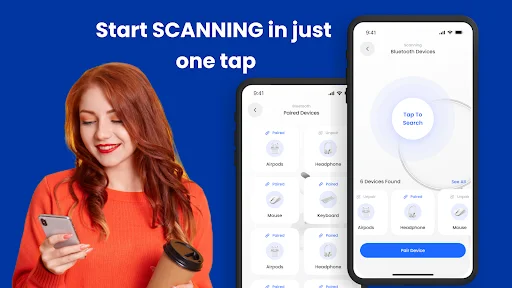
Find available Bluetooth devices around you with quick nearby scanning. The app helps you discover devices within range so you can connect faster and manage your wireless accessories with less effort.
Apps Using Bluetooth
Want to know which apps on your phone are using Bluetooth permissions? This app helps you check apps that may access Bluetooth, giving you more awareness and control over your device usage.
Works with Common Bluetooth Devices
Use this Bluetooth app with many everyday wireless devices, including headphones, earbuds, speakers, smartwatches, fitness bands, car Bluetooth systems, and other supported gadgets.
Why Should You Use This Bluetooth App?
You should use Bluetooth Finder: Find Device if you want a faster, easier, and more organized way to handle Bluetooth devices. It helps you solve common Bluetooth problems like failed pairing, slow reconnection, difficulty finding devices, and confusion with nearby gadgets.
Bluetooth Finder: Find Device helps you to:
- Connect Bluetooth devices more easily
- Scan nearby wireless gadgets quickly
- Find misplaced Bluetooth devices
- Reconnect paired devices with less effort
- Estimate Bluetooth device distance
- Check apps using Bluetooth permission
- Manage paired devices in one place
- Save time when connecting accessories
Try Bluetooth Finder: Find Device now and take better control of your headphones, earbuds, speakers, smartwatches, and all your Bluetooth devices.
See How Simple Bluetooth Management Can Be
Join Over 1 Million Happy Users
"Seamless Connectivity and Network Optimization: A Review of Bluetooth Finder WiFi Analyzer" Are you tired of dealing with connectivity issues and slow internet speeds? Look no further than Bluetooth Finder WiFi Analyzer, the ultimate solution for optimizing your wireless network and enhancing your connectivity experience. **User-Friendly Interface:** Upon launching the app, users are greeted with a clean and intuitive interface, making it easy to navigate through its various featur
I've been usinFinder Wifi Analyzer app for a few weeks now, and I must say it has exceeded my expectations. This app is a fantastic tool for anyone who needs to track down Bluetooth devices or analyze WiFi networks. Here are some of the highlights:Bluetooth Finder FeaturesThe Bluetooth Finder functionality is intuitive and efficient. The app quickly scans for nearby Bluetooth devices and provides detailed information on each one, including signal strength and device type. This ma
The outstanding Bluetooth app makes Bluetooth management easy and smart. With the Bluetooth Finder, you can quickly locate nearby devices. Auto Connect ensures fast, seamless reconnections, while Smart Pairing allows instant, secure connections to your gadgets. Simple, fast, and reliable—everything you need in one bluetooth app
This particular app gives you accurate info on the device you're using. Easy to read too. You I'm not a nerd 🤓 So I try to make it simple. This does just that. Oh! There are ads. But they're only about 2 to 3 seconds long.
Very simple to use the most Happy device connection between android smartphone with Bluetooth & WiFi Tethering could not be easier it's a pleasure thank you ..very much the subwoofer works *FINE*.
💯I'm a blonde and this really was easy and my bf hated it when I was able to get back on the hotspot he had me blocked from lol. Totally love it💯
Download Now and Take Control of Your Devices
Join millions of satisfied users and transform your experience today