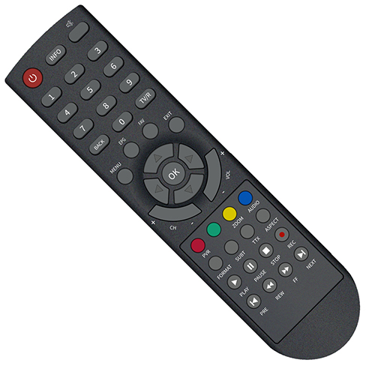
Control Your Den TV From Your Phone
Never search for a lost remote again. Turn your IR-equipped Android phone into a fully functional controller for your Den set-top box with one free app.
Everything You Need In One Simple App
Never Lose Your Remote
Keep a reliable backup controller on your phone that's always available when your physical remote goes missing. No more searching under couch cushions or ordering replacements online.
Start Controlling Instantly
Point your IR-equipped phone at your Den set-top box and start using it right away. No complicated pairing, no Wi-Fi setup – just simple infrared control that works immediately.
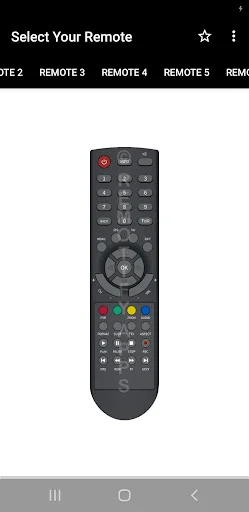
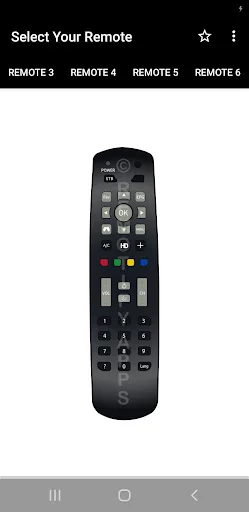
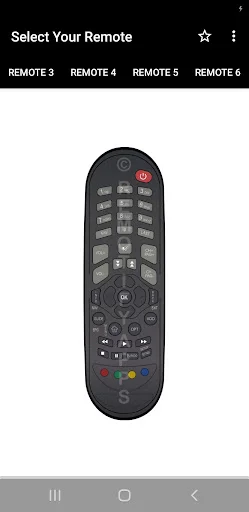
Familiar Button Layout
Navigate channels, adjust volume, and browse menus using the same intuitive remote design you already know. All your essential controls are clearly organized and easy to reach.
Save Money On Replacements
Skip buying expensive replacement remotes or risking incompatible models from online sellers. This free app gives you a working controller without spending a single dollar.
About Den Remote Control App
The Den TV Remove Control App - Control Compatible Den Set-Top Boxes From Your Phone!
The Den TV Remove Control App gives you a simple replacement when your physical remote is missing, unavailable, or difficult to find. Designed to work with many compatible Den set-top boxes, the app keeps familiar controls in an easy mobile interface.
Now TV Remote Controller App focuses on quick access without complicated setup. Your phone must have a built-in infrared sensor because commands are sent through compatible IR hardware.
Remote Control Features:
- The Den TV Remove Control App - Access convenient controls for compatible Den set-top boxes
- Now TV Remote Controller App - Use a clean interface designed for straightforward operation
- Volume Controls - Adjust supported sound levels directly from your phone
- Channel Controls - Move between channels using familiar remote-style buttons
- Navigation Keys - Browse supported menus with directional controls
- Selection Controls - Confirm choices and interact with available device menus
- Quick Access - Open the app and start using a compatible remote layout
- Simple Interface - Keep commonly used buttons clear and easy to reach
Turn a compatible infrared-equipped phone into a convenient remote!
The Den TV Remove Control App can be helpful when the original controller is misplaced or you simply want another way to operate your set-top box.
Now TV Remote Controller App requires an infrared-equipped Android phone. If your device does not include an IR sensor, remote commands cannot be transmitted to the set-top box.
How To Use:
- Open the app on your Android phone
- Make sure your device includes a built-in infrared sensor
- Select or try the available Den remote option
- Point the top of your phone toward the compatible set-top box
- Test volume, navigation, channel, and other supported controls
- If your remote model is unavailable, use the in-app option to request support
Infrared Hardware Required:
The Den TV Remove Control App works through your phone's infrared hardware rather than Wi-Fi or Bluetooth pairing. Compatibility depends on your phone having an IR sensor and on the selected remote profile supporting your set-top box.
Simple Everyday Controls:
Now TV Remote Controller App keeps common functions together in a familiar remote-style layout. Use available navigation, selection, channel, and volume buttons without changing your launcher or connecting extra accessories.
Remote Model Support:
The app is designed for many Den STB models, but compatibility can vary between devices. If your specific controller is not available, the app includes an option to request additional remote support.
Easy And Familiar Design:
The interface keeps unnecessary complexity out of the way so you can focus on controlling your device. Open the remote, point your phone toward the set-top box, and use the supported buttons as needed.
Keep A Backup Remote Ready On Your Phone!
Use your compatible infrared-equipped Android device as a convenient controller for supported Den set-top boxes, with a straightforward layout and quick access to everyday remote functions.
IMPORTANT
This app needs your phone to have an Infrared sensor.
Disclaimer
All product names, logos, brands, trademarks and registered trademarks, which are not owned by us, are property of their respective owners. All company, product and service names used in this app are for identification purposes only. Use of these names, trademarks and brands does not imply endorsement. This app is owned by us. We are not affiliated, associated, authorized, endorsed by, or in any way officially connected with any 3rd party apps or companies.
See The Simple Interface In Action
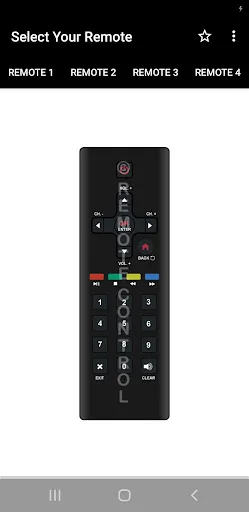
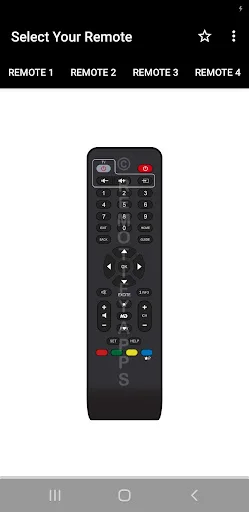
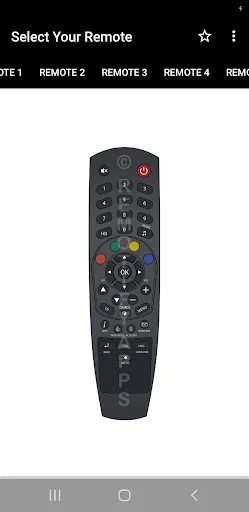
Loved By Thousands Of Happy Users
works great, easy to set up. so much better than ordering the wrong remote on eBay that doesn't work with a stick.
Works perfectly, very quick and simple setup.
It is the best remote for den setup box
Best remote for tv free of charge.
excellent no complaints at all.
works seamlessly A+++
Download Free And Start Controlling Today
Be part of our community of thousands of happy users