Switch Phones Without Losing Anything
Transfer photos, contacts, videos, and apps to your new device in minutes. Fast, secure, and completely offline – no internet connection or cables required.
Everything You Need in One Simple App
Works Completely Offline
No internet connection, no data usage, no cloud account needed. Transfer everything using direct Wi-Fi connections between your devices, anywhere and anytime.
Lightning-Fast Wireless Transfers
Move photos, videos, contacts, and apps in just minutes using direct device-to-device connections. No slow uploads, no tangled cables, no waiting around.
Your Privacy Stays Protected
Your personal files never touch external servers or cloud platforms. Everything transfers directly between your devices using secure local connections that keep your data private.
Simple Setup, Smart Features
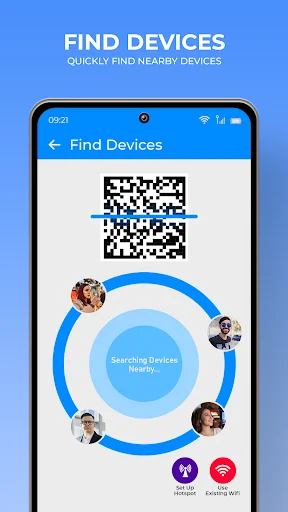
Just scan a QR code to connect both devices instantly. Choose exactly what you want to transfer, and if anything interrupts, resume right where you left off with one tap.
About Fast Share: Transfer My Data
Upgrading to a new phone should be an exciting moment, not a stressful headache filled with lost contacts or missing photos. Fast Share: Transfer My Data app takes the friction out of moving to a new device. Whether you are switching models or backing up essential files, our tool provides a fast, secure, and seamless way to move everything that matters in just a few taps.
When you open a brand new device, figuring out how to transfer data to new phone storage shouldn't slow you down. Finding a reliable data transfer app makes all the difference when changing devices. Fast Share is built as a lightweight mobile transfer app designed for maximum speed and simplicity. You don't need cables, computer software, or cloud subscriptions. Our phone transfer copy my data system connects both devices wirelessly for high-speed sharing anytime, anywhere.
Why Choose Fast Share: Transfer My Data App?
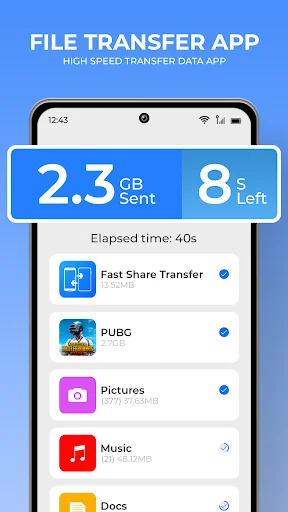
- Fast & Direct Sharing: Move photos, high-definition videos, audio tracks, contacts, call history, and apps in seconds.
- Works Completely Offline: No internet connection, cellular data, or cloud account needed.
- Secure Local Connections: Direct device-to-device transfers ensure your personal information stays private.
- Custom Selection: Pick only the files, photos, or documents you want, leaving unneeded clutter behind.
- Resume Interrupted Transfers: If a transfer drops for any reason, tap once to pick up right where you left off.
Whenever I buy a new device, my immediate question is how to transfer my data quickly and securely. With Fast Share, a smooth phone clone data transfer experience is guaranteed. Unlike cloud services that consume massive bandwidth, this mobile transfer app uses direct local connections for fast speeds. Select exactly what you need, tap connect, and transfer my data in just a few minutes without touching mobile data.
How It Works:
- Install Fast Share: Transfer My Data App on both your old and new devices.
- Connect both phones using local Wi-Fi or hotspot.
- Select the categories or specific items you wish to transfer.
- Tap to start, and watch your files move smoothly across devices.
Whether moving photos, videos, or documents, this phone clone data transfer tool handles heavy media files effortlessly. Say goodbye to complex desktop software and use an all-in-one phone transfer copy my data workflow. Our setup wizard makes it easy to transfer data to new phone storage without losing file quality or resolution. Move contacts, messages, apps, and memories directly when you transfer data to new phone devices.
Your privacy and security are guaranteed at every step. This powerful data transfer app operates entirely offline, meaning your personal records never touch external cloud platforms. Avoid tangled cables and slow cloud uploads by choosing an offline phone clone data transfer solution that respects user privacy. Our phone transfer copy my data tools keep your information protected under end-to-end local security.
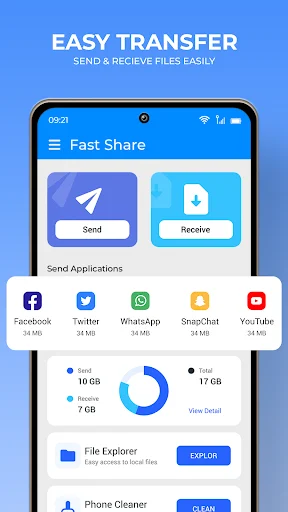
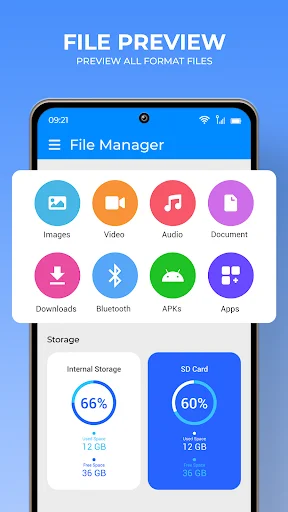
Organizing your files is equally effortless. Fast Share automatically categorizes photos, music, apps, and documents so you can easily choose what to send. No internet connection is required while running this data transfer app. Keep your files safe by choosing a mobile transfer app that prioritizes offline security. You don't need tech expertise to transfer my data preferences, contacts, and personal media files. It has never been easier to transfer my data across devices seamlessly.
Key Features at a Glance:
- Simple phone transfer copy my data setup with zero complicated menus.
- Rapid phone clone data transfer for large video files, photos, and apps.
- Secure data transfer app that works completely without internet access.
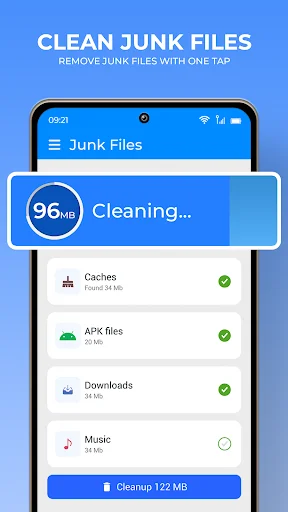
- Dedicated mobile transfer app features for cache cleaning and storage management.
- Easily transfer data to new phone hardware without cloud subscription fees.
Download Fast Share Transfer App today and experience how effortless moving your digital life can be!
See How Easy Transferring Can Be
Trusted by Millions of Happy Users
Well I'm happy to say this didn't disappoint me, tbh it's easier to use than share it I just scan the QR and bam all my info transferre😁 btw I'm using the free version,as long as the creators don't screw with it,this app will definitely beat out share it, I should know since I'm using share it for more than 8 years.
Awsome, this app is all i need. No more bluetooth opening, No more location opening or etc. Simply send files through wifi and that's it.
Smart share transfer files app has most definitely improved in everything and it's a great working app for the best results.
Smart share files app having interesting features good work by developers really impressed by using this application.
Smart file sharing at speed higher the any file sharing application and lot of other things to be experienced.
Smart share is so nice and interesting application for transferring any kind of file in android i just love it
Download Fast Share and move effortlessly today
Start your journey with our growing community today