Generate Any Sound Frequency You Need
Create precise sound waves from 1Hz to 22000Hz for instrument tuning, speaker testing, sound therapy, and more. Professional-grade audio generation made simple and portable.
Everything you need for perfect sound generation
Pinpoint Frequency Precision
Generate exact frequencies with decimal accuracy using an easy drag interface or fine-tune buttons. Whether you're tuning a guitar or testing equipment, get the exact Hz you need every time.
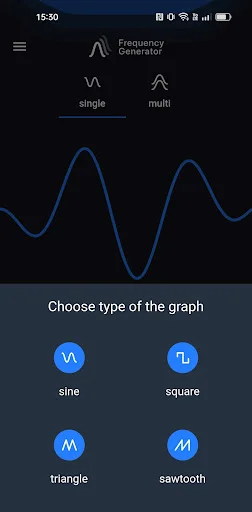
Four Professional Waveforms
Switch instantly between sine, square, sawtooth, and triangle waves. Each waveform serves different purposes, giving you the right tool for any audio task from testing to therapy.
Triple Sound Generator
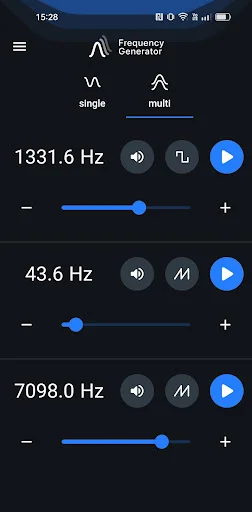
Run three independent frequencies at once with Multi-Oscillator Mode. Set different waves, frequencies, and volumes for each – perfect for complex audio testing and advanced sound applications.
Customize Every Detail
Adjust slider scales, enable low-latency mode, choose your color theme, and control volume boost. Tailor the app to work exactly how you need it for your specific use case.
About Frequency Generator (Sound)
Would you like to generate sounds, test your speakers or tune your instruments? If the answers is yes, download Frequency Genrator!
Using this application you can generate sound waves in different frequencies. The player lets you generate a sine, square, sawtooth or triangle sound wave with a frequency between 1Hz and 22000Hz (hertz).
Single Oscillator Mode
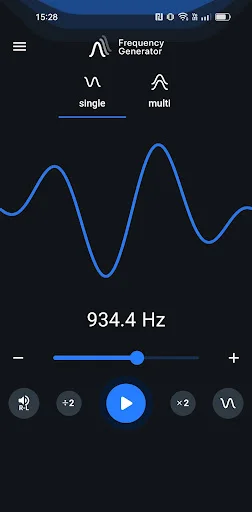
Frequency Sound Generator allows you to easily change the soundwaves from the main menu. Simply tap on the sound wave icon and pick between sine, square, sawtooth or triangle.
Adjust the sound generating frequency easily by dragging the dot. Make use of the - & + buttons for added adjusting precision.
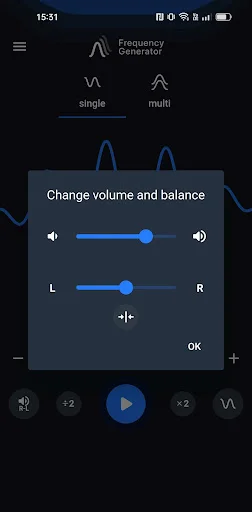
Change volume and balance. Tap on the R-L icon.
Multi Oscillator Mode
In this mode you can generate in one time three sounds. Set diferent freqencies, waves and volume.
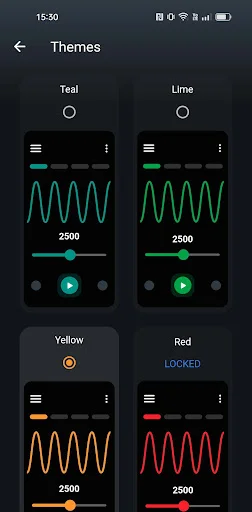
Theme
Change the colour of your application.
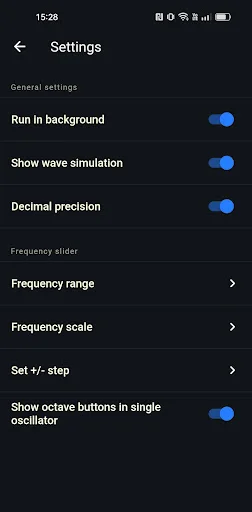
Settings in Frequency Genarator
- change frequency range slider range to allow you more precision while selecting frequencies,
- enable or disable run in background option,
- choose between two slider scales: linear or logarithmic,
- enable or disable volume booster,
- enable or disable decimal precision up two decimals in case of need for more precise sound generation,
- change +/- button step for even easier adjustments,
- enable or disable show octave buttons in Single Oscillator
- low latency setting enables high-performance low latency audio which makes slider more responsive and eliminates lag. (NOTE: Low latency setting may result in high frequencies on some devices sound inaccurate, especially on higher volume.)
Attention! Please, for the best experience of using the app, use a pair of good quality headphones. Mobile devices are not high-quality audio sources.
See the power and simplicity in action
Join thousands of satisfied users worldwide
Great for tuning various instruments. The decimal placement gives very good accuracy as well.
very good for enhanced focus
nice and clear sounds
Very nice and precise
Bro on the sub's it went crazy
very much interesting app
Download now and start generating perfect sound
Join hundreds of thousands of users who have already made the switch