Connect Your Phone to Any Car Screen
Transform your driving experience with wireless screen mirroring that works with all car brands, old and new. Access your phone's apps safely on your car's display for hands-free navigation, calls, and entertainment.
Everything You Need for Smarter Driving
Works With Any Car
No need for expensive upgrades or new vehicles. Mirror Link connects to all car brands and models, from classic cars to the latest releases, giving everyone access to modern smart car features.
Drive Safer, Stay Connected
Keep your eyes on the road while accessing navigation, calls, and messages on your car's larger screen. Enjoy hands-free control that helps you focus on driving while staying connected to what matters.
Connect in One Click
Choose wireless or USB connection and start mirroring instantly. No complicated setup or technical skills needed – just open the app, tap connect, and your phone screen appears on your car display in seconds.
Full Phone Access Everywhere
Listen to music, watch videos, use navigation maps, make calls, and access all your favorite apps directly on your car screen. Enjoy a better viewing experience with automatic play and pause when you connect.
About Mirror Link
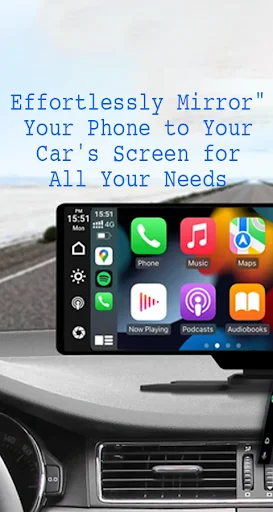
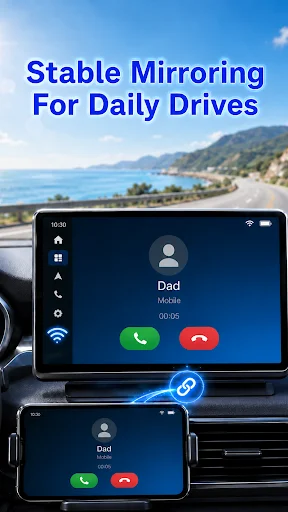
With Mirror Link, you can connect your phone to your car's screen wirelessly or via USB. This app allows you to display your phone's screen on your car's screen and other devices, enhancing driving safety by providing easy access to your phone's features.
Features
- Static Screen Sharing: Share your smartphone screen with your car screen easily and stably.
- Wireless and USB Connection: Connect your phone to your car's display without any cables using wireless connectivity options.
- Screen Sharing and Communication: Simple and fast connection with one click.
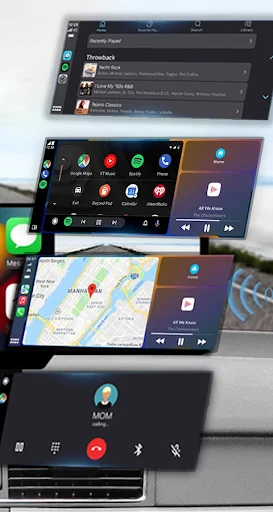
- Multimedia Access: Listen to music, watch movies, text, call, and view maps on your car screen.
- Automation: You can play and pause music automatically when your device connects to the car display.
- Full Mirror Link: Enjoy the phone with full mirror link on the car screen.
- Smart mirror link: Works with old and new cars.
- Universal Compatibility: Compatible with all car brands and devices with built-in web browsers.
- Mirrorlink Car Play: Seamlessly integrates with Mirror Link CarPlay and Android Auto systems.
Turn your phone into a convenient control panel for using various applications via your car's touchscreen, watch movies and listen to music on YouTube and other platforms, and utilize Apple CarPlay and Android Auto for hands-free calling, navigation maps, and music streaming. Enhance road safety with easy access to your phone's features, allowing you to focus on driving. Additionally, use a simple car starter app to connect your phone to your car's TV without any screen sharing cable.
How to use
- Make sure your phone and car have Miracast/Wireless display options.
- In the car's Dashbroid, turn on the "Miracast" function.
- Open the Mirror Link app, select "Connect Car", and wait for the device to be searched.
- Create a connection to mirror your phone screen with car screen easily.
Mirror Link is an easy app to cast to any car screen, providing a great mirror experience. Enable Mirrorlink for your car to enjoy web video streaming, photo streaming, audio streaming, and simple automation screen connections. Automatically play and pause when your mobile phone connects to your car's screen.
Disclaimer
Mirror Link is owned by us and we are not affiliated, associated, authorized, sponsored, or endorsed by, or in any way officially connected with any other apps or companies.
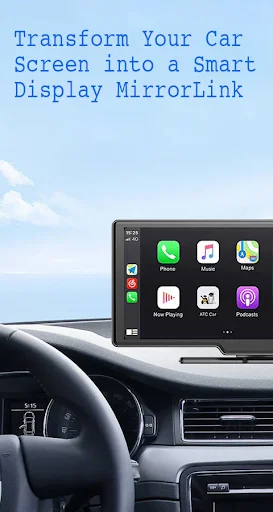
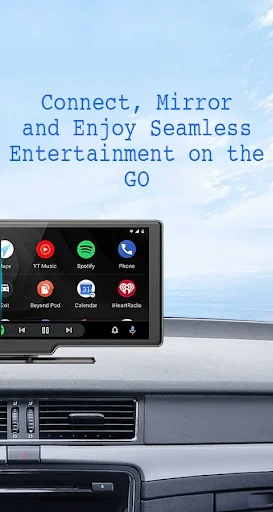
See Mirror Link in Action
Join Over 1 Million Happy Drivers
Mirror link is very good and amazing application.by this application you can connect your phone with the car to use your phone as a mirror of the car . I use this application and it is very good application
I was directed toward the latest version of Mirror Link for my Samsung A10e phone while researching how to use Android Auto with my new car radio head unit. This app was updated just over a week ago! 🙂
Just purchased a new car asking to use a mirror link app. Eager to see how well it will work.
This is the first time trying an app like this so far so good thank you mirror link app
Currently still on a probationary period. Testing it out to see how well it functions.
Needed to give 5 stars for full functionality? Better than 5 bucks
Download Now and Start Driving Smarter Today
Join millions of satisfied users and transform your experience today