Align Your Satellite Dish Like a Pro
Skip the expensive installer and set up your satellite TV yourself. Get precise pointing angles and visual guidance to align your dish perfectly – all from your phone.
Everything You Need for Perfect Alignment
Precise Angle Calculations
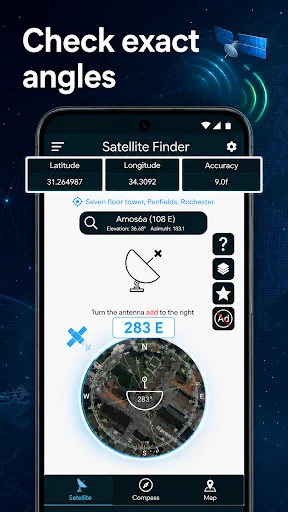
Get exact azimuth, elevation, and skew values for your location instantly. No more guessing or trial-and-error – just enter your satellite and receive the accurate angles you need for perfect alignment.
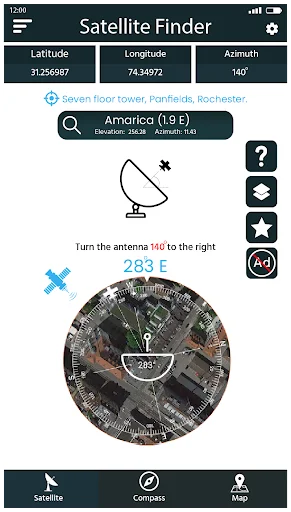
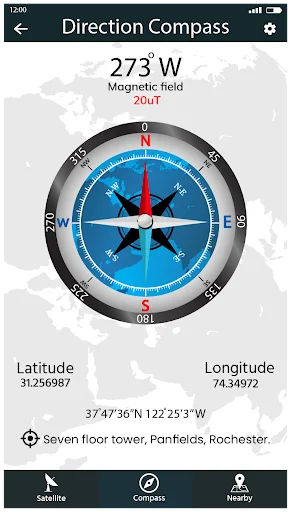
Visual Direction Guidance
See exactly where to point your dish using clear directional indicators. Check for obstacles like trees or buildings before you start, so you can position your antenna in the perfect spot the first time.
Save Hundreds on Installation
Why pay $100-300 for a professional installer when you can do it yourself? Turn your phone into a professional alignment tool and keep that money in your pocket.
Works Anywhere You Need
Whether you're at home, in your RV, or setting up a vacation property, get accurate alignment data wherever you go. Perfect for permanent installations and travelers who need satellite TV on the move.
About Satellite Finder - Dish Align
Align Dish Network: Satellite Pointer — Set Up Your TV Signal
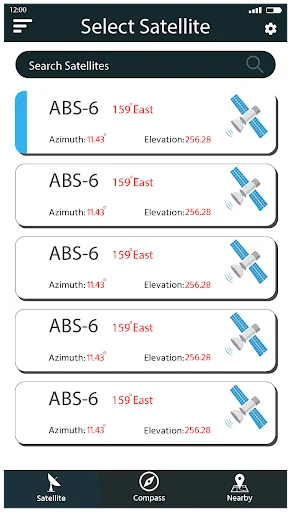
Align Dish Network: Satellite Pointer helps you aim a satellite antenna using your phone. Choose a satellite, view the required azimuth, elevation, and skew, then follow the on-screen guidance to adjust your equipment. Whether you are installing a receiver at home or checking an existing setup, the app turns location and orbital data into practical alignment directions.
Key features:
- Use Align Dish Network: Satellite Pointer to calculate the direction of your selected satellite
- Open sat finder app dish tv tools to browse supported satellites and prepare your setup
- Use the dish alignment app to obtain the angles required at your location
- Follow the sat pointer app and dish finder app guidance while positioning your antenna
- Make accurate adjustments with sat dish alignment information
- Check the direction with a sat dish pointer before fine-tuning the signal
- View clear, location-based values in one place
- Work with a straightforward interface designed for practical installations
How to use the sat finder app dish tv tools
Select the satellite used by your television provider and allow location access so the app can calculate the correct pointing data. The app displays the azimuth, elevation, and skew needed for your position. Apply the values to the antenna mount, make small adjustments, and verify the signal on your receiver. This guided process makes the sat finder app dish tv workflow useful for initial installation, relocation, and signal troubleshooting.
Accurate dish setup:
The dish alignment app converts your phone's location into practical pointing angles. Review the calculated values before moving the antenna, then adjust it gradually to avoid passing the target position. The dish alignment app supports a consistent setup process for a home, holiday property, caravan, or workplace.
Direction and camera guidance:
The sat pointer app gives you a clear directional reference for the selected satellite. Use the dish finder app view to identify the correct line of sight and check for possible obstructions such as buildings or trees. Together, the sat pointer app and dish finder app make it easier to plan where the antenna should face before you begin physical adjustments.
Fine-tune the antenna:
Use sat dish alignment values to set the mount and refine its position. The sat dish pointer helps you maintain the intended direction as you work. For the best result, tighten the hardware carefully and confirm signal quality on the receiver after each small change. Recheck the sat dish pointer if the mount shifts, and use the final sat dish alignment values as your reference.
Set up with Align Dish Network: Satellite Pointer
The app combines an angle calculator and directional guidance in one mobile tool. Download Align Dish Network: Satellite Pointer and use the sat finder app dish tv workflow to prepare, aim, and fine-tune your television antenna with clear, relevant information.
See How Simple Satellite Alignment Can Be
Join Thousands of Successful DIY Installers
Easy to use and now I don't need to call cablel service for my satellite dish alignment whenever it is disaligned.
Satellite finder is very good application. This is very amzing application
Nice setelite finder app for everyone. Thanks
I Really Enjoyed the App it Works Well
veri clearly satellite network app 🤩
It work like a pro
Download now and align your dish today
Start your journey with our growing community today