
Resize and Compress Videos Like a Pro
Transform your videos for any platform with powerful editing tools that save space and keep quality perfect. All your video needs in one simple app.
Everything You Need in One App
Compress Without Quality Loss
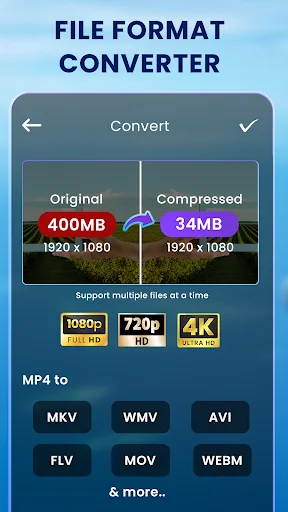
Reduce video file size up to 90% while keeping the quality you want. Free up storage space, upload videos faster, and share content instantly without waiting for large files to process.
Perfect for Social Media
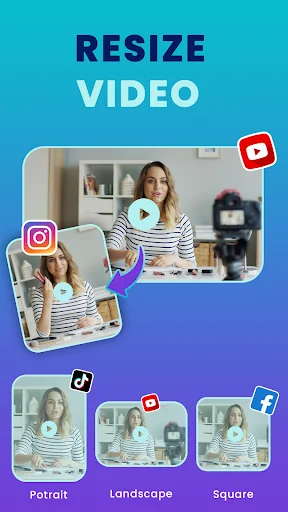
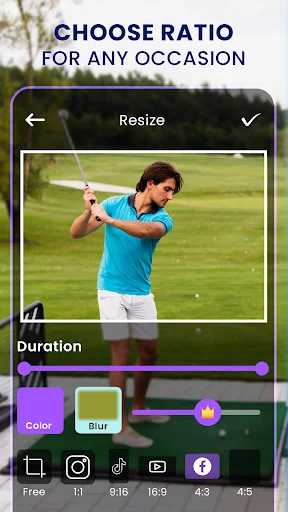
Resize videos to fit Instagram, YouTube, TikTok, and Facebook with one tap. No more awkward crops or rejected uploads – get the perfect aspect ratio every time with smart blur backgrounds.
Complete Editing Suite
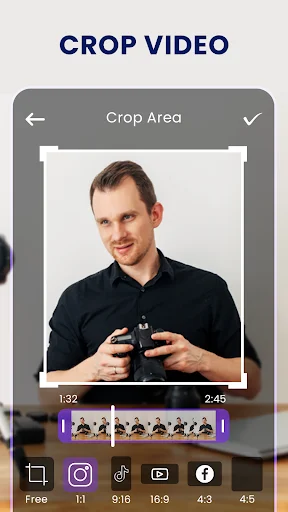
Trim, crop, merge, reverse, and speed up videos with easy-to-use tools. Add music, create GIFs, extract images, and apply filters – all without switching between multiple apps.
Convert to Any Format
Change video formats instantly to MP4, AVI, MOV, and more. Turn videos into GIFs or extract images for thumbnails – giving you total flexibility for any project or platform.
About Video Resizer & Compressor
Edit & Resize Video With Powerful Compress & Editing Tools
Have a powerful video resizer and editor in your pocket 24/7 with our Video Resizer & Compressor app.
Whether you want to resize video size to fit popular social media, reduce storage, quickly upload a large video online, or edit videos, this is your go-to all-in-one video editing app.
Resize, compress, convert, crop, trim, speed up, reverse videos, and so much more!
Download Video Resizer and Compressor for free!
Retouch, Crop & Trim Videos to Reduce Size or Make Videos Smaller
A video compression tool to compress video size. A video resizer to change resolution. A video converter. A video editor to cut, crop, and edit videos. Here you'll have it all. Our video compressor app for Android blends superior video editing features in one so you can reduce video size without losing quality, but also further retouch and edit your videos.
Compress a Video & Reduce Video File Size
Select videos from your gallery quickly to compress a video on Android.
- Choose quick compression between Small File, Medium File, Large File & Custom Size, Advanced Compression with mute or Add Music feature.
- You can also choose an encoder such as H264, Format such as mp4, and Speed within our video size compressor tool.
Video Resizing Made Easy
Different social media have different video requirements. Now you can easily adjust yours with our video resizing app. Resize video and change resolution to adjust video for social media such as Instagram, Facebook, Youtube, and TikTok.
Simply pick a video from your gallery and make use of the following resizing options:
- No crop video: resize video to squre, short, youtube, facebook, 4:5, 3:4, 3:2, 2:1 ratios without cropping your video. It adds a blur or any color to create a social media-ready video without cropping.
- Change resolution: change the width & height with custom dimensions. You can also change the aspect ratio of the video.
- Force video resize: Resize the video to the aspect ratios of popular social media with cropping or stretching i.e forced resizing.
Video Converter & Video to Image Converter
Besides using it as a video mp4 compressor, you can also convert videos to other formats, images, gifs. There available many video formats such as MP4, AVI, MOV, FLV, MKV, WMV, WEBM, 3GP, F4V, TS, etc. Simply select videos from your gallery and select the File Format Converter, Video to Image, or Video to Gift converter tools from the homepage.
Edit Videos: Crop, Trim, Cut, Merge, Reverse, Speed Up & More
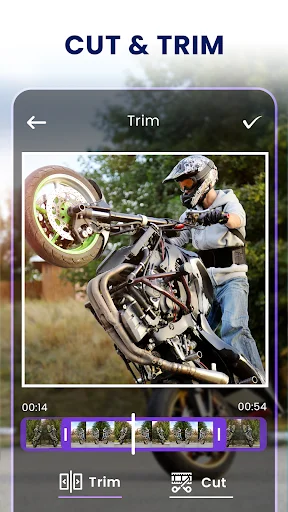
Your compressed videos can be easily edited with our video editing tools. Crop videos and reduce size, or trim and cut videos, the choice is yours. Alternatively, you can speed up or reverse videos, add music to videos, split videos with a video splitter, or extra audio from videos. This is an all-in-one video editor, it's not just a video resizing app.
Video Resizer & Compressor App Features:
- resize video to fit requirements for social media apps
- compress video to make videos smaller
- crop video
- trim & cut video
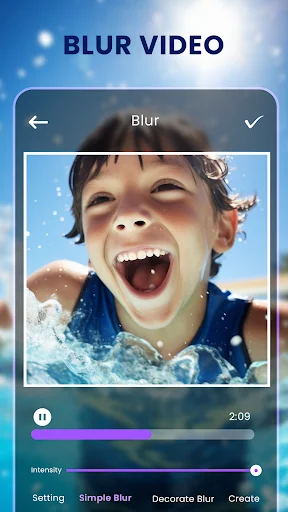
- blur video
- video file format converter
- video filter
- video to image converter
- adjust video
- video to gif
- flip & rotate
- reverse video
- split video
- merge video
- speed video – speed up and make video faster
- loop video
- extract audio from videos
- add music to videos
- view all your latest edited videos
- rename and share your edited videos
Don't settle for just a video HD converter or video conversion app to make videos smaller with fast video compressing. Instead, have a resourceful video editor to tweak and resize your videos as a pro.
Try one of the best video compressing and video editing apps of 2024
See How Easy Video Editing Can Be
Loved by Content Creators Everywhere
I've been using this app for a few weeks now, and it’s exactly what I needed! The Video Resizer & Compressor works seamlessly for compressing large videos without losing much quality. The interface is simple and easy to navigate, even for beginners. I love that it allows you to resize videos for various platforms, whether it’s for Instagram, YouTube, or just to save space on my phone.
wonderful 👍🏻 It's perfect for all video editing needs ✅ It's one of the best video editing apps I've used. offers almost everything you need video compression, format conversion, GIF creation, image extraction, resizing, trimming, cropping, and cutting. The quality is excellent, the processing is fast, and the interface is clean and very easy to use. I definitely recommend it!😍
Fantastic App i got all my editing stuffs in one place like bluring, video resizing, trimming, croping etc. Absolutely a big thanks to all the developers behinds this application working hard to give us value in our content creation.
The app is great no doubt, I just resized a video for my YouTube channel and it perfectly resized it , without cutting any important content. If you need a resizer, try it, you won't be disappointed.
I'm starting a YouTube channel and my recording method looks weird since it a square and this app made it easy to turn it back to normal like a actually YouTube video. 10/10
6 apps later and I finally found one that would actually let me scratch/resize a video, and not just change an aspect ratio... THANK YOU.
Download Free and Start Creating Today
Join hundreds of thousands of users who have already made the switch