
Talk Without Internet, Anywhere You Go
RealTalkie lets you communicate with friends and family using just WiFi – no internet or data needed. Perfect for outdoor adventures, emergencies, or staying connected in remote locations.
Everything you need to stay connected offline
Zero Internet Required
Connect directly with others using peer-to-peer WiFi, so you never pay for data or worry about internet coverage. Talk freely wherever you are without cellular service or WiFi networks.
Connect in Seconds
Getting started is simple – just scan a QR code or create a WiFi hotspot. No complicated setup or technical knowledge required, so you can start talking right away.
Voice, Text, and Files
Share everything that matters during your conversations. Send voice messages with crystal-clear sound quality, text your thoughts, and share photos, videos, and audio files instantly.
Works Anywhere, Anytime
Whether you're hiking in the mountains, camping in the wilderness, or facing a power outage, RealTalkie keeps you connected when other apps can't. Your reliable communication backup for any situation.
About Walkie Talkie Offline Talk
Introducing RealTalkie
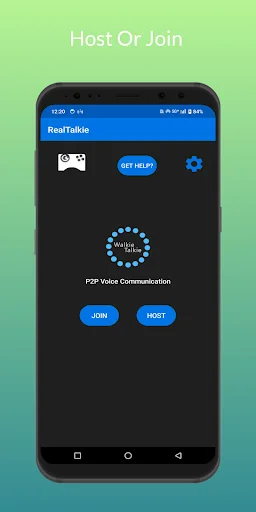
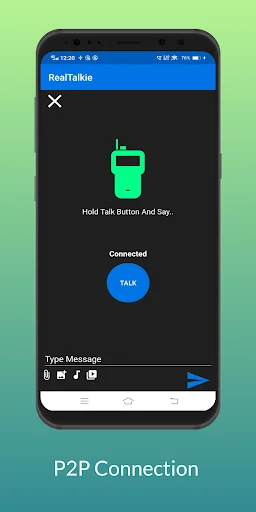
RealTalkie is an offline walkie-talkie app that lets you talk to your friends and family without the need for an internet connection. With our app, you can easily connect with others using a P2P connection via a Wi-Fi network.
RealTalkie makes it easy for you to communicate with others in real-time. Whether you want to chat with your friends while hiking or keep in touch with your family during a power outage, our app is perfect for staying connected when the internet is not available.
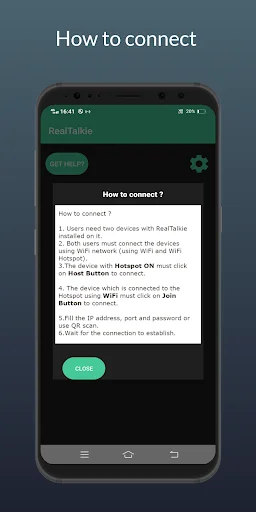
How to connect?
- Users need two devices with RealTalkie installed on it.
- Both users must connect the devices using WiFi network (using WiFi and WiFi Hotspot).
- The device with Hotspot ON must click on Host Button to connect.
- The device which is connected to the Hotspot must click on Join Button to connect.
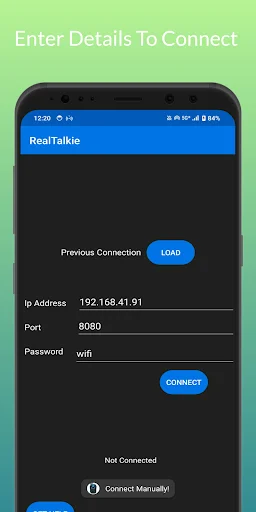
- Or manually fill the IP address, port and password.
- Wait for the connection to establish.
Our app also allows you to send text messages to other users during the P2P connection. You can share your thoughts, ideas, or just have a casual chat with your friends and family without any interruption.
In addition to talking and texting, RealTalkie allows you to share small files like photos, videos, and audio with other users during the P2P connection. This feature is perfect for sharing memories, songs, and other files with your loved ones in real-time.
RealTalkie is an offline app, so you can use it anywhere and anytime, even when you're not connected to the internet. So why wait? Download RealTalkie today and start enjoying the benefits of staying connected offline.
Features
- No INTERNET connection required to use this app.
- High quality sound.
- Easy to use.
- Secure
- Users can connect using QR scan.
- Use Headphones/Earphones for better experience.
For more info
Contact mike21exc2@gmail.com
See how easy it is to connect
Loved by thousands of users worldwide
Excellent works perfectly ! Great job simple to use
Very nice, and convenient
The best app I ever had
This is the real deal
easy communication
optimum usability
Download now and stay connected anywhere
Join hundreds of thousands of users who have already made the switch