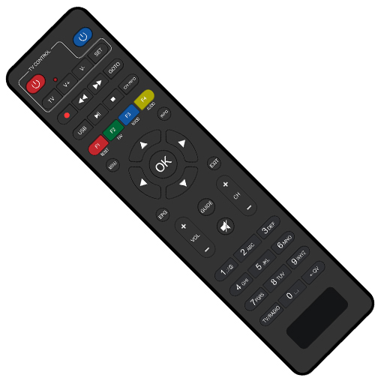
Control Your TV From Your Phone
Turn your Android phone into a simple remote control for your TV and set-top box. Perfect when your physical remote is lost, broken, or just out of reach.
Why You'll Love This Remote App
Ready in Seconds
No complicated setup or pairing needed. Just open the app, choose your remote type, and start controlling your TV right away. It's that simple.
Always Available Backup
Never worry about a lost or broken remote again. Your phone becomes a reliable backup remote that's always with you when you need it.
Easy to Use
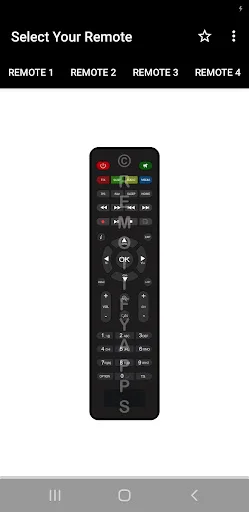
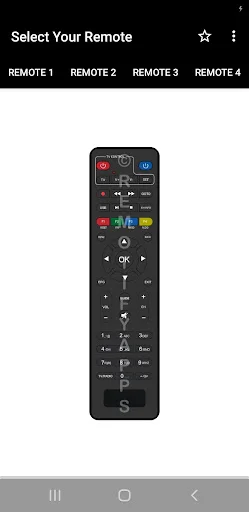
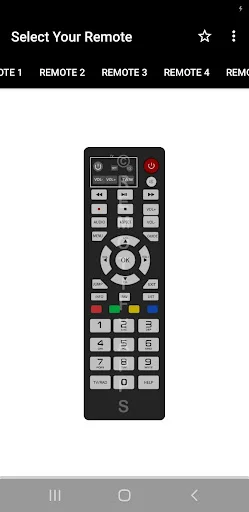
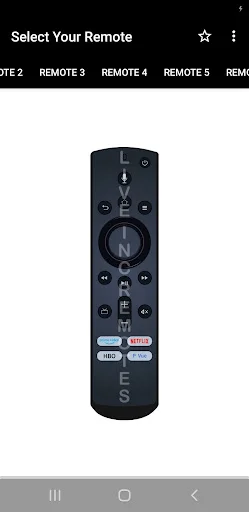
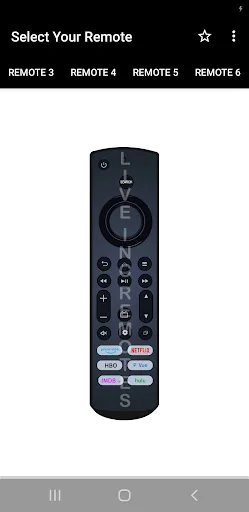
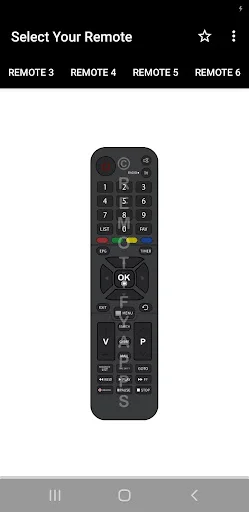
Familiar button layout makes it feel just like your physical remote. Clean design and simple controls mean anyone can use it without confusion.
Request Your Remote
Can't find your specific TV or set-top box model? Request it directly from the app and get support for the remote you need.
About CCN Remote Control App
CCN Remote Control App - Control Your TV Or STB From Your Phone!
CCN Remote Control App helps turn your phone into a simple remote control for supported CCN set-top boxes and compatible remote needs. It is useful when your physical remote is missing, broken, or not nearby.
Insignia TV Remote App For Android gives users a familiar remote-style layout with quick access and easy controls. The app is designed to be simple, fast, and ready to use without a complicated setup.
Remote Control Features:
- CCN Remote Control App - Designed to work with almost all supported CCN STB models
- Insignia LED TV Remote Controller App - Use a clean remote-style screen from your Android phone
- Insignia TV Remote App For Android - Access common remote buttons in an easy layout
- No Installation Setup - Open the app, choose your remote, and start using it
- Simple Interface - Enjoy a clean design made for quick control
- Made In India - Built as a practical remote control tool
- Missing Remote Support - Request a remote model from inside the app if needed
Open the app, check IR support, and start controlling your device!
CCN Remote Control App requires your phone to have an infrared sensor. If you are not sure whether your device supports IR, you can try the app and check if it works with your TV or set-top box.
Insignia LED TV Remote Controller App is helpful when you want a lightweight remote option with a clear design. It gives you a quick way to control supported devices without extra hardware when IR is available.
Simple Use Flow:
- Open Insignia TV Remote App For Android on your phone
- Make sure your device has an infrared sensor
- Choose the supported remote or STB option
- Use the remote buttons from the app screen
- Try click-and-play control without complex setup
- Ask for your missing remote model from inside the app
- Keep CCN Remote Control App ready when your physical remote is not available
Infrared Remote Support:
Insignia LED TV Remote Controller App works through IR-based control, so phone compatibility matters. The app is best for Android devices that include an infrared sensor. If your phone does not have IR hardware, remote control features may not work as expected.
Easy Interface For Daily Use:
CCN Remote Control App focuses on a simple user experience with a clean button layout. The design is made to feel quick and familiar, so users can open the app and control supported devices with fewer steps.
Helpful When Your Remote Is Missing:
Insignia TV Remote App For Android can be useful when the physical remote is lost or unavailable. If your specific remote is not listed, the app allows you to request it from inside the interface. This makes it easier to find support for the model you need.
Keep A Backup Remote On Your Android Phone!
CCN Remote Control App gives you a practical way to control supported CCN STB models from a phone with IR support. With a simple layout, quick access, click-and-play use, and missing remote request support, the app is a handy backup for everyday viewing.
Disclaimer
All product names, logos, brands, trademarks and registered trademarks, which are not owned by us, are property of their respective owners. All company, product and service names used in this app are for identification purposes only. Use of these names, trademarks and brands does not imply endorsement. This app is owned by us. We are not affiliated, associated, authorized, endorsed by, or in any way officially connected with any 3rd party apps or companies.
IMPORTANT
This app needs your phone to have an Infrared sensor
See How Simple It Really Is
Trusted by Thousands of Users
Amazing app for insignia televisions
works great with my tv
Insignia best roku tv
Nice application
Insignia remote
Excellent
Download now and control your TV today
Be part of our community of thousands of happy users