
Compare Currencies Instantly for Smarter Travel
See real-time conversions across 160 currencies on one screen. Perfect for trip planning, overseas shopping, and everyday budgeting with automatic calculations as you type.
Everything You Need for Easy Currency Comparison
Instant Automatic Calculations
Watch amounts convert in real-time as you type, eliminating waiting and making quick price comparisons effortless whether you're browsing overseas shops or planning your travel budget.
Multi-Currency View
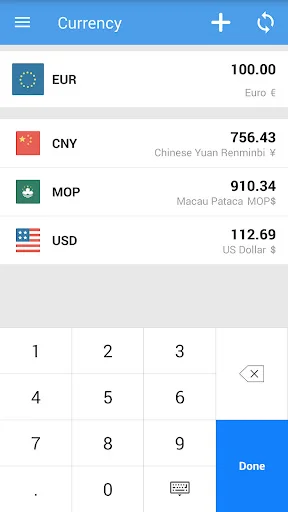
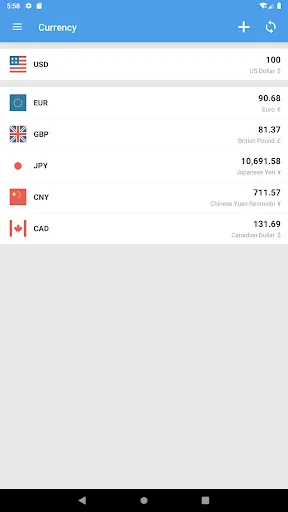
Compare several currencies simultaneously on one screen instead of switching between pairs. Ideal for planning multi-country trips or evaluating international shopping options at a glance.
160 Global Currencies
Access comprehensive coverage from major currencies like USD, EUR, GBP, and JPY to regional options worldwide. Find every currency you need for any destination or international transaction.
Customize Your List
Add only the currencies relevant to your current needs and remove them when plans change. Keep your comparisons clean, simple, and focused on what matters most to you.
About Currency Converter: Exchange
What is Currency Converter: Exchange?
Compare amounts across currencies for travel, overseas shopping and everyday budgeting. This Android currency converter shows several conversions together and calculates as you type, so you can check a price in the currencies that matter to you.
It supports 160 currencies, including USD, EUR, GBP, JPY, CNY and AUD, with exchange-rate updates available through an internet connection.
Who is Currency Converter: Exchange for?
Use it while planning accommodation and meals for a trip, comparing an overseas price with your home currency or estimating costs for a personal or business budget. A multi-currency list is useful when a journey or purchase involves more than two currencies.
What does Currency Converter: Exchange do?
- Calculate currency conversions automatically as you enter an amount.
- Compare multiple supported currencies on one screen.
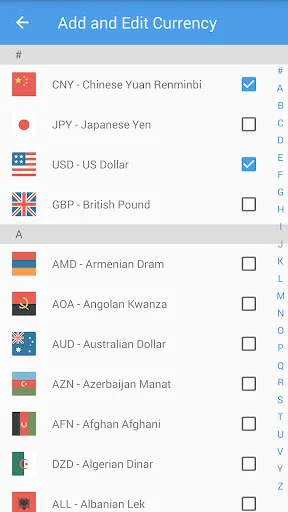
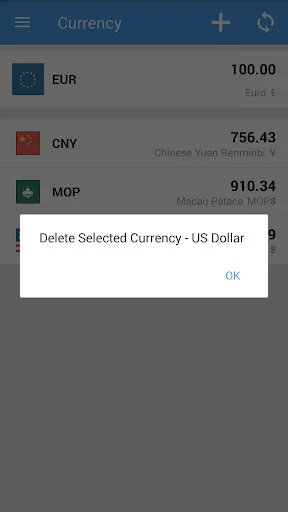
- Add currencies to your list and remove those you no longer need.
- Browse currencies by their names and three-letter codes in the selection screen.
- Refresh exchange-rate data while connected to the internet.
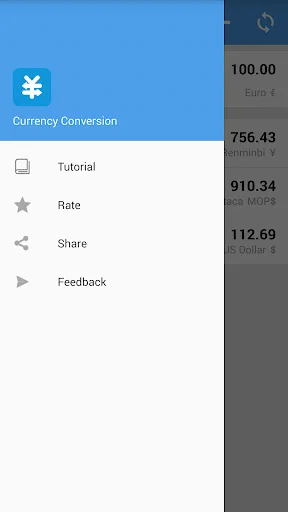
- Open the in-app tutorial for help using the converter.
How does Currency Converter: Exchange work?
Open the currency list and use the add control to choose the currencies you want to compare. Enter an amount with the numeric keypad and view the converted values alongside it.
Adjust the selected currencies when your plans change, or remove a currency from the list. Use the refresh control to request updated rates when you have an internet connection.
Compatibility and requirements
An internet connection is required to retrieve updated exchange rates. Data freshness depends on the available rate data and your connection.
Displayed conversions are estimates for comparison and planning, not a guaranteed transaction rate. A bank, card provider or exchange service may apply a different rate or additional fees. Check the provider's final amount before making a payment or exchanging money.
The app contains ads and offers in-app purchases.
Currency Converter: Exchange keeps your selected currencies together for straightforward price comparisons and budget estimates.
See the App in Action
Trusted by Travelers and Shoppers Worldwide
A well designed app & user interface that shows that a lot of thought was put into the design and development of the app. Keep up the good work!
Great app, easy to use and look at multiple currency conversions at the same time, can refresh for real time rates also 🙂
Great tool for keeping many currencies in check, which is my use case.
such an useful app, I love it. clean and no ads, that's what I need.
Very good app. Works well & I find it very useful.
So simple and efficient.
Download Now and Start Converting
Join hundreds of thousands of users who have already made the switch