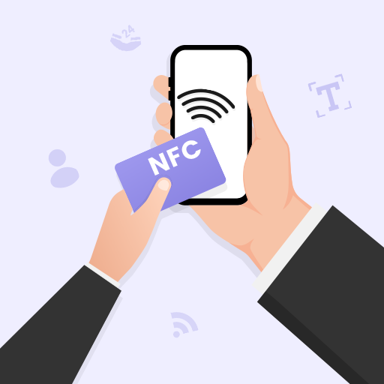
All Your Contactless Tools in One Place
Read and write NFC tags, scan QR codes, and manage everyday contactless tasks without switching between multiple apps. Simple controls and a clean interface make it easy for anyone to use.
Everything You Need for NFC and QR Tasks
Fast NFC Reading and Writing
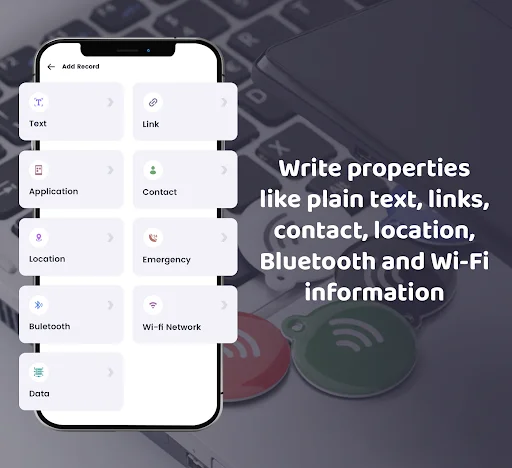
Tap your phone to any compatible NFC tag and see what's on it in seconds. Create your own tags with contact info, Wi-Fi passwords, website links, and more using simple controls that guide you through each step.
Built-In QR Code Scanner
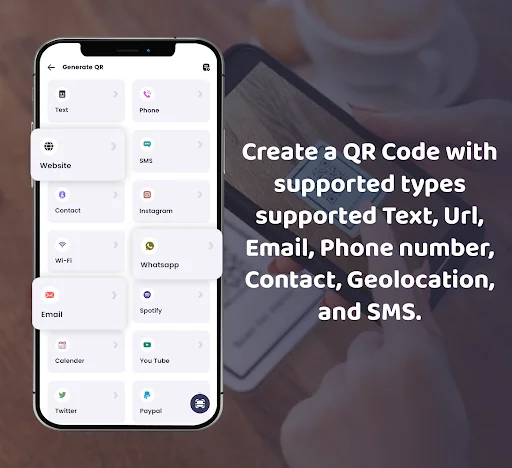
Scan QR codes for links, text, Wi-Fi details, and contacts without opening another app. You can even create your own QR codes from text and links, keeping all your contactless tools together in one convenient place.
Share Information with a Tap
Stop typing Wi-Fi passwords or contact details every time someone visits. Write the info to an NFC tag once, and let people tap their phone to get it instantly – perfect for home, office, or events.
Simple Interface for Everyone
No technical knowledge required. The clean design and easy-to-follow workflow make it perfect for beginners, while experienced users appreciate the quick access to all essential NFC and QR features.
About NFC Tools - NFC Tag Reader
NFC Tools - NFC Tag Reader
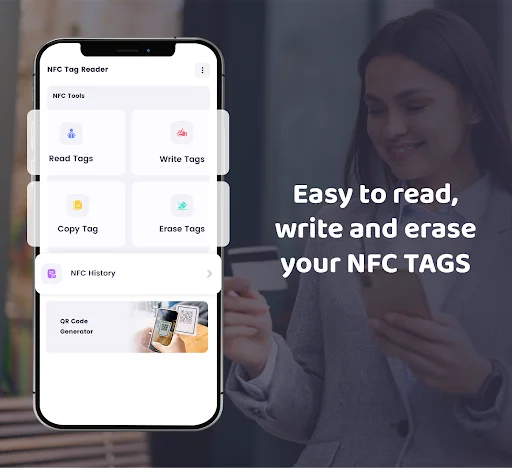
Manage everyday contactless tasks from one simple place. Whether you want to check an NFC tag, write useful information, or scan a QR code, this NFC tools app keeps the process quick and easy. It is also a practical NFC reader for Android for users who want clear tag information without complicated menus.
Read and Write NFC Tags
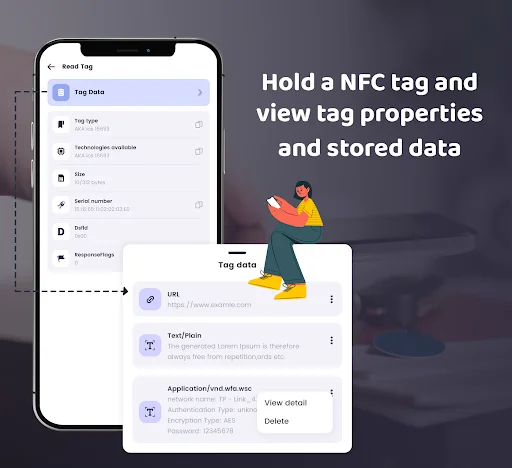
Bring your phone close to a compatible tag to read available data in seconds. With NFC tools for Android, you can inspect supported NDEF records and work with common content such as text, links, contacts, Wi-Fi details, email information, and more.
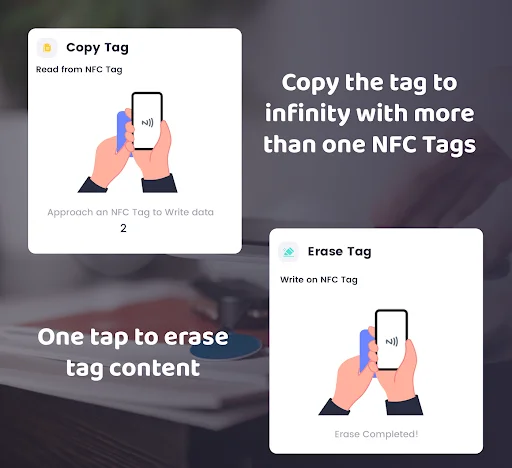
The built-in NFC tag tools help you create and manage useful records for everyday situations. When you need to add supported information to a compatible tag, the NFC writer and reader workflow guides you through the process with simple controls.
Scan QR Codes Too
NFC is only part of the experience. The NFC tag reader and QR scanner also lets you scan supported QR codes for links, text, Wi-Fi details, contacts, and other common data. It is handy when you want both NFC and QR functions without switching between several apps.
Key Features of NFC Tools - NFC Tag Reader
- Fast NFC reader for Android for compatible tags
- Simple NFC writer and reader controls
- Practical NFC tag tools for reading and writing supported records
- Easy-to-use NFC tools app interface
- Reliable NFC tools for Android for everyday NFC tasks
- Built-in NFC tag reader and QR scanner
- Read supported text, URL, contact, Wi-Fi, email, and other records
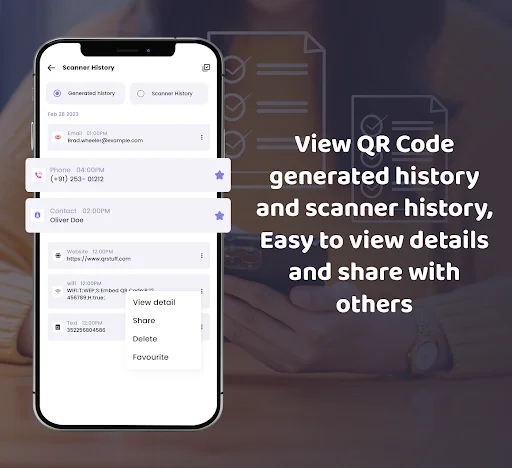
- Save useful scan information for quick reference
- Create QR codes from supported text and links
- Clean interface for beginners and experienced users
Useful at Home, Work, and On the Go
NFC Tools - NFC Tag Reader can help with many ordinary tasks, from checking smart tags to preparing information for compatible stickers. The NFC tools app is designed to keep common actions easy to reach, while the NFC tag tools make it simple to view or prepare supported records.
Use the NFC writer and reader to create tags for sharing a website, contact details, or Wi-Fi information. The NFC reader for Android gives you a convenient way to inspect compatible tags whenever you need them.
If you often work with contactless technology, NFC tools for Android can save time by keeping essential features together. The NFC tag reader and QR scanner adds even more flexibility when you encounter QR codes during daily use.
Simple Contactless Tools in Your Pocket
NFC Tools - NFC Tag Reader is made for anyone who wants a straightforward way to read, write, and organize supported NFC information. Just make sure your Android device supports NFC and that it is enabled in your phone settings.
Download NFC Tools - NFC Tag Reader and keep practical NFC and QR tools ready whenever you need them.
See How Simple Contactless Tasks Can Be
Trusted by Thousands of Daily Users
Absolutely works as described. I create tags for my desk due to my job that allows me to quickly scan over and pop things up on my phone. We use tags for a business card for our market booth. The app is great unfortunately most people are too clueless and only want to scan a Q code.
I embedded these in 3D printed keychains for my classroom store with a link to the "Happy" song. My students bought them all!!
I got some NFC tags from Amazon, and this app works wonderful. You can write and erase. Plus, it is easy to use.
Got a NFC tag pre-programed in the mail. And this was easy to find and easy to write. Thank you :)
Easy and simple to use. Works well
Amazing app, And working truly
Download now and simplify your contactless tasks
Start your journey with our growing community today