Extract and Create ZIP Files on Android
No computer needed. Open any ZIP or RAR file, create compressed files to save space, and share faster – all from your phone.
Everything you need for file compression
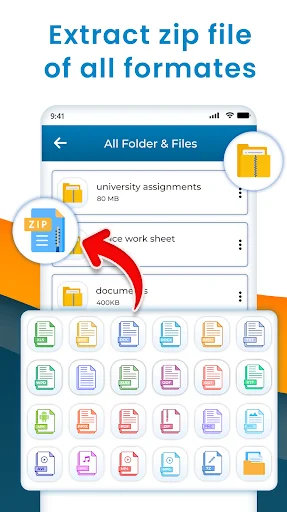
Extract Any File Format
Open ZIP, RAR, and 7z files instantly on your phone. No more waiting until you get to a computer – extract documents, photos, videos, and APKs anytime, anywhere.
Save Phone Storage Space
Compress videos, music, pictures, and documents into ZIP files to free up valuable storage. Reduce file sizes and keep more of what matters on your device.
Share Large Files Faster
Compress files before sharing to send them quicker, even with slow internet. Smaller file sizes mean faster uploads and less data used when sharing on social media or messaging apps.
Your Privacy Protected
We never access your personal photos, videos, or contacts. Your files stay private and secure – we only request the permissions needed to help you manage compressed files.
About Zip File Reader: Extract RAR
Why Zip File Reader: Rar Extractor, zip unzip app developed?
To avoid computers and laptops for file extraction, we developed this rar extractor for android: zip software app which helps you to make zip files in your android phone and also allows you to extract zip files and rar files quickly. Zip decompressor: file size reducer can reduce size of files. How you can compress size of your documents? When you convert your files and documents into zip file, it will automatically reduce files size.
Zip file manager: Zip unzip app
Zip Unzip file manager: RAR extractor is a very useful tool. Sending files in the zip format is a traditional way in this modern era. So, convert your any file into zip format and send via social media.
Advantages of making zip files:
- Take less time while sharing
- Save your device storage
You can also reduce files size with this zip extractor: video compressor app. How to save storage on your phone with this zip software: zip unzip tool? Simply convert your videos, music files, pictures, APKs and any other files by this rar extractor for android: 7z extractor.
Zip opener android: Zip unzip file extractor
Sending and receiving zip and rar files is also the safe way of data sharing. When you make zip file, it will just open by extracting the file. So, viewing zip file everyone needs zip extractor to view zipped documents.
Main Features of this Zip File Reader: Rar Extractor, zip unzip app
- Fast rar extractor for android
- Extract zip files of all formats.
- Reduce files size by compression
- Make zip files of all kind of documents
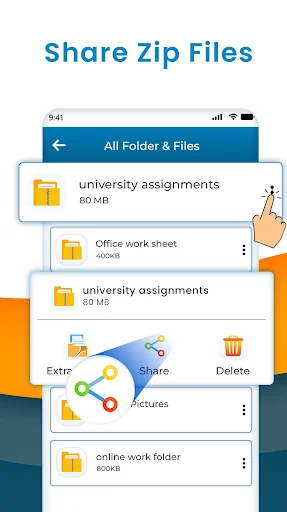
- Delete and share zip files
- Set new names for extracted files
- Save your device storage by reducing files size.
zip viewer: zip unzip file
It is not only the zip extractor you can also make zip file of any document or file which is already exists in your phone, so we can say that it is also the zip file maker: zip documents app. If your phone is running out of space, then you can use this RAR extractor: zip file reader app to reduce size of files which are in your phone. When you convert them into zip file, size of files will reduce and you can save your phone memory space. Having less internet? Want to share large files? Don't worry! Reduce size of file which you want to share.
What's new in this Zip File Reader: Rar Extractor, zip unzip app?
- Make zip files
- Extract zip files
- Delete and share zip files
- zip rar extractor for android
- Load all zip files in the app
- open all kind of zip files
zip archiever apk: zip reader app
Want to convert apk file into RAR file? Let's do it by this zip file maker: rar extractor for android app. In this modern era, everyone needs zip file opener or reader app, if you are looking for best zip file extractor app then simply install this zip unzip app: unzip zip files app and do whatever you want. All the features of this zip unzip app can be access easily.
How Zip File Reader: Rar Extractor, zip unzip app works?
- Download and install this Zip File Reader: Extract RAR.
- Open this Zip File Reader: Extract RAR.
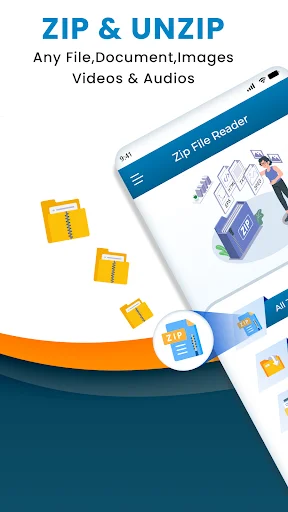
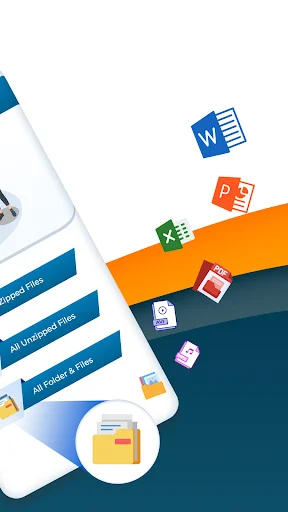
- Click on all zipped files button to view all existed zip files.
- Press all unzipped files button to check those files which are extracted by this zip file reader.
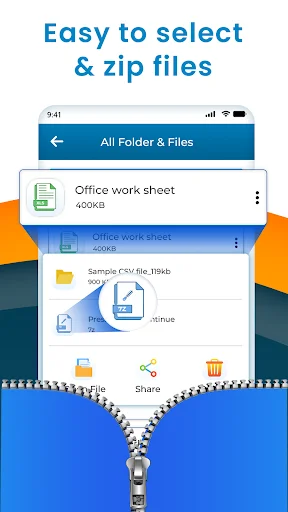
- To make zip files, press all folders & files button and then select files.
Safe and secure this Zip File Reader: Rar Extractor, zip unzip app
Zip File Reader: Rar Extractor, zip unzip app is not taking your personal information like photos, videos, contacts, etc. We are just taking some permissions from you to make app reliable for you. Zip file extractor for android app is not sharing anything with third parties.
See how easy file compression can be
Join thousands of happy users
Superb app very useful application 👌👌👌
Amazing 🔥🔥🔥🔥🔥 nice app 👍👍👍👌👌👍👌
Very nice and useful app
Start saving space and extracting files today
Start your journey with our growing community today